App Maker includes a remote MCP server in its API bridge, the component that also publishes REST endpoints. Administrators decide which business operations AI clients can call, and each call runs an App Maker rule the same way an API endpoint does.
How it works
The Model Context Protocol (MCP) is a standard way for applications to expose tools to AI agents. An AI client connects to the portal's MCP address, lists the available tools and calls them. The server uses the Streamable HTTP transport, is stateless and returns JSON responses.
- The AI client sends a tool call with its arguments.
- The bridge validates the arguments against the tool's parameter schema.
- The bridge runs the tool's module and rule on the App Maker Engine.
- The rule result is returned to the AI as text: a value such as
true, a string or formatted JSON.
Validation errors go back to the AI as error results, so it can correct the arguments and try again. Engine errors are logged, and the AI receives only a generic message.
Defining tools
Tools are defined in the internal portal, in Content management › Endpoints › MCP. Each tool has an enable toggle, so only the tools an administrator switches on are offered to AI clients.
| Field | Purpose |
|---|---|
| Technical name | The tool name seen by the AI: letters, digits, underscore and hyphen, up to 64 characters |
| Display title | A readable name for the tool |
| Description | What the tool does, sent to the AI |
| Result description | What the tool returns, sent to the AI with the description |
| Module and rule | The App Maker module and rule that run when the tool is called |
| Scope | Optional; restricts the tool to tokens that carry this scope |
| Read-only hint | Tells AI clients that the tool does not change data |
| Parameters | Typed and nestable, each with its own description; the bridge builds a JSON Schema from them |
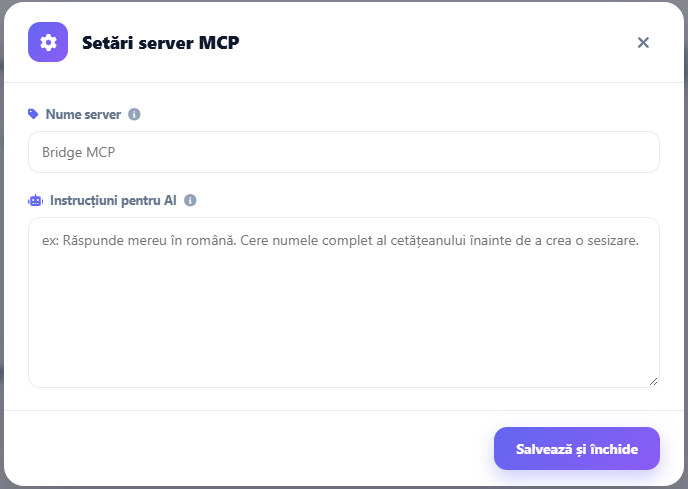
The MCP settings also hold the server's display name and the server instructions, which AI clients receive when they connect.
Connecting AI clients
Clients connect with OAuth 2.1 or with a static token.
| Method | Intended for | Access |
|---|---|---|
| OAuth 2.1 with the MCP account | AI applications such as claude.ai, ChatGPT, Claude Code and Cursor | Every enabled tool |
| Static token | Scripts and agents | Enabled tools whose scope the token carries |
OAuth 2.1
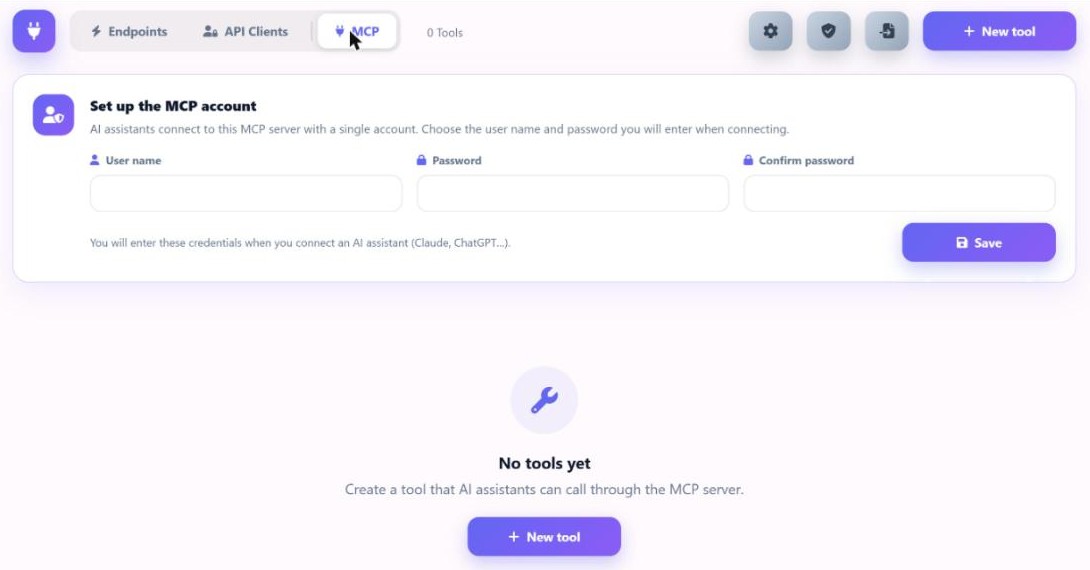
The administrator first sets a dedicated MCP account (user name and password) in the portal. The password is stored as a hash. AI applications then need only the server address.
- A call without a token returns
401with a pointer to the protected resource metadata (RFC 9728). - The client reads the authorization server metadata (RFC 8414).
- The client registers itself through dynamic client registration (RFC 7591), as a public client with PKCE or with a client secret.
- The authorization code flow with PKCE (S256) opens a sign-in page served by the bridge. It shows which application is asking and where it will return.
- Signing in with the MCP account issues a one-time code, which the client exchanges for tokens.
Access tokens are JWTs bound to the MCP resource. Refresh tokens are opaque, stored as hashes and rotated on every use. Sign-in attempts are limited per IP address, and the sign-in page cannot be embedded in another site.
Static tokens
Static tokens are generated in the portal and shown once. They are stored as SHA-256 hashes, can have an expiry date and can be revoked. A tool with a required scope is visible only to tokens that carry that scope.
Example registration in Claude Code:
claude mcp add --transport http appmaker https://<your-portal>/bridge/mcp --header "Authorization: Bearer mcp_..."Example client configuration:
{ "mcpServers": { "appmaker": { "url": "https://<your-portal>/bridge/mcp", "headers": { "Authorization": "Bearer mcp_..." } } } }Connected apps and revocation
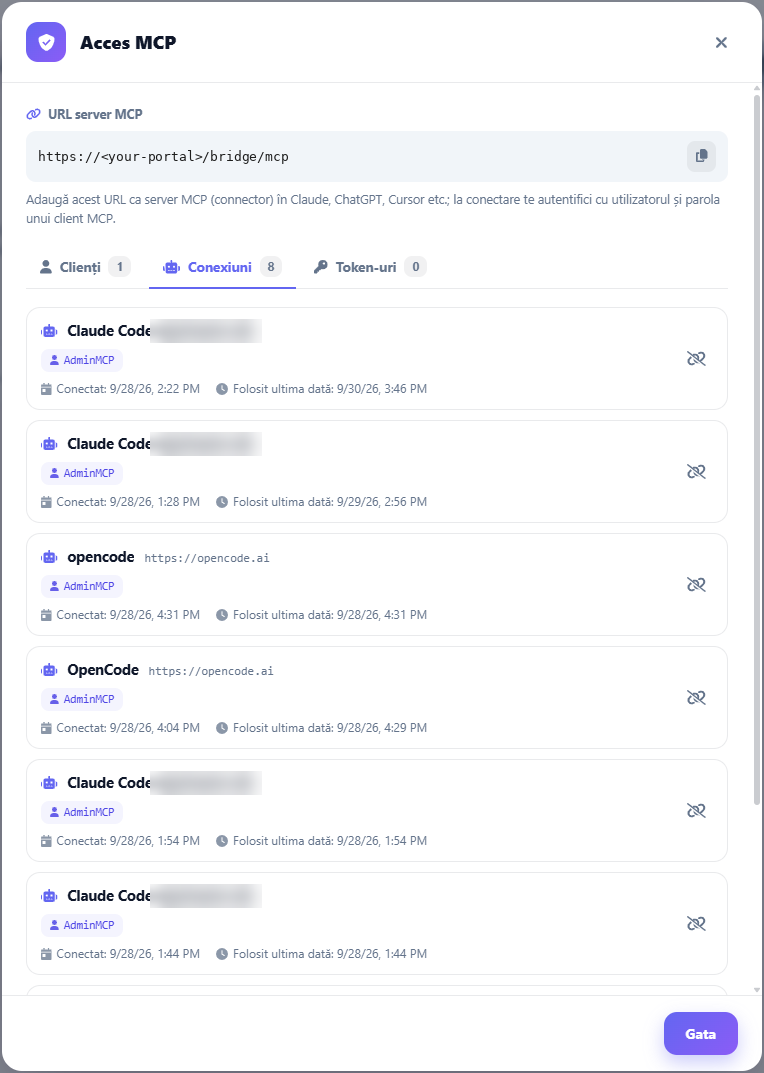
Applications connected through OAuth are listed in the portal, under MCP › Access. An administrator can revoke any of them, and revocation takes effect within seconds. Changing the MCP account password disconnects all connected applications.
Logging
Every tool call is logged with the tool, the method MCP and the caller: the OAuth application or the token name. Calls are also streamed to the live console in the portal.
Configuration access for AI clients
The MCP server described here exposes business operations of the applications built with App Maker. The AppMaker Assistant has its own MCP server, which gives AI clients read-only access to the configuration of a domain. It is described on the App Maker Assistant page.