Business rules hold the logic of an App Maker application. A rule is an expression built from predefined operators and written like an Excel formula. The engine evaluates it at runtime.
The formula approach
Rules are designed for users who can write Excel formulas. A rule combines parameters, constants and operators into one expression, such as If(1 > 2, 5, 6), which returns 6. Operators nest inside each other, so a single expression can read data, iterate over a list and return a result.
Rules are kept separate from the processes that use them. The same rule can be reused in several modules, views and workflows.
Example
The architecture diagrams show a rule as a tree of operators. In the example, an And node joins two conditions:
- the applicant's age is greater than or equal to 18;
- the income plus the tax value is greater than 50.
The rule returns true only when both conditions are true. In the editor, the same logic is one expression that uses the operators >=, +, > and And.
Where rules are used
A rule can change the behaviour of interfaces, entity attributes, actions and workflow steps. It can also act on document template fields, user messages, page events and the display of content. Changing behaviour includes:
- generating, hiding or showing an element;
- changing its colour, font or style;
- assigning or calculating a value;
- enabling or disabling an element;
- writing a value to the database.
Typical rule types are decision rules, validation rules, routing rules, transformation rules and contextual rules. Rules can read process variables, form values and stored data, and can call external services through plugins.
The rule editor
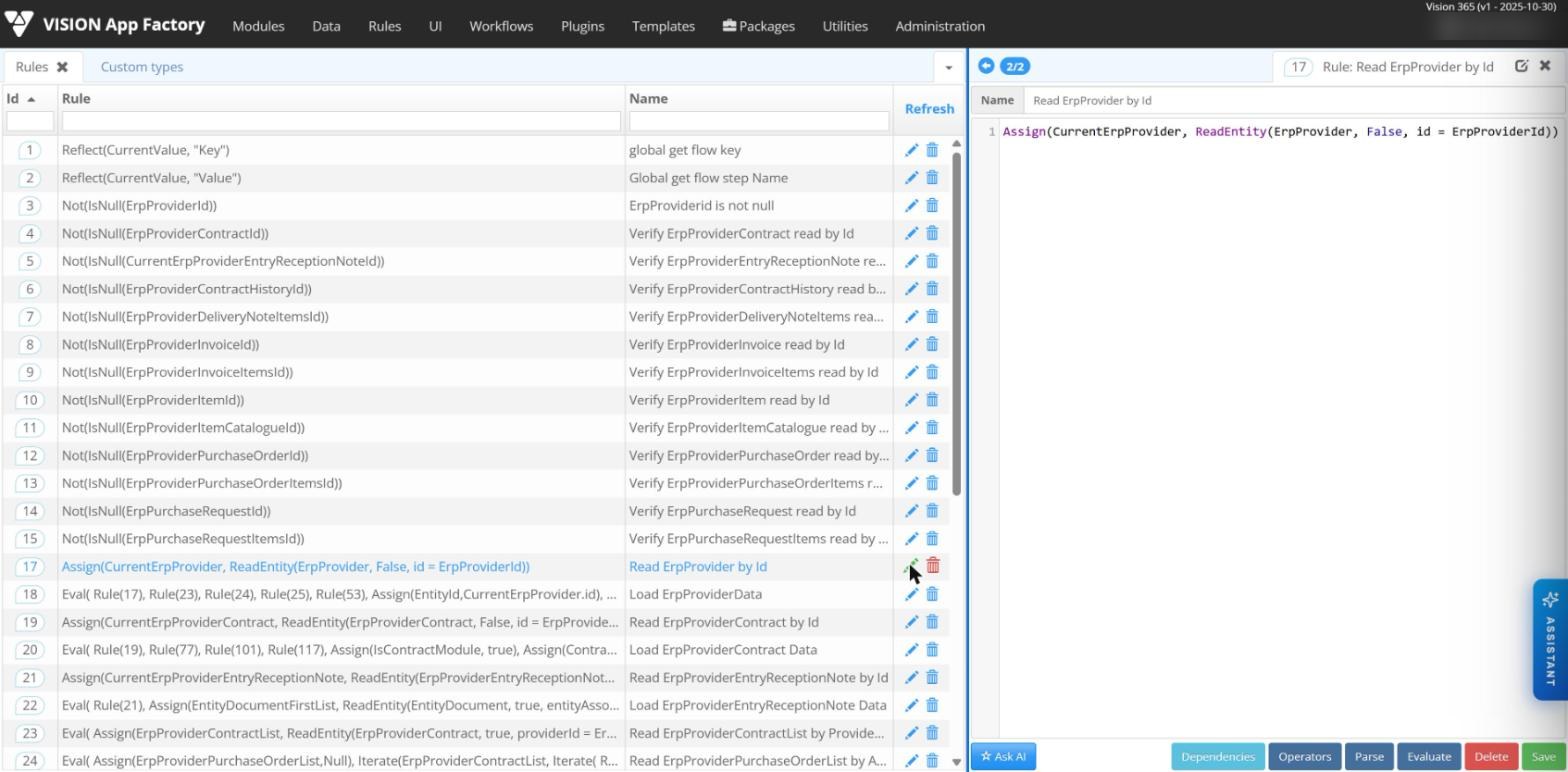
Rules are written in the Rules menu of App Factory Studio. The editor highlights operators, parameters and functions in distinct colours as the rule is typed. It also provides:
- Parse: checks the syntax of the rule;
- Dependencies: lists every element where the rule is used;
- test values: values entered for the rule's parameters, to evaluate the result while editing;
- Operators: the list of available operators, with search.
The Rule tester in Module tester runs rules inside a module, checks parameter values and supports debugging.
Binary operators
Binary operators take exactly two operands.
| Operator | Meaning | Example |
|---|---|---|
+ - * / | Add, subtract, multiply, divide | 3 - 1 returns 2 |
% | Remainder of a division | 5 % 2 returns 1 |
| | Raises the first operand to the power of the second | 2 | 8 returns 256 |
= <> | Equal, not equal | 2 <> 4 returns true |
< <= > >= | Comparison | 2 < 4 returns true |
And Or Xor | Logical AND, OR, XOR | True Xor True returns false |
Like | Matches a string against a pattern | "abdc" Like "%bdc" returns true |
:= | Assigns a value to a parameter or member | Age := 10 |
. | Reads a member of a custom type value | ReadEntity(Person, false, id = 10).name |
The = operator compares values. Assignment uses := or the Assign function.
Function operators
Function operators take a list of operands in parentheses. The catalog covers these groups:
| Group | Operators (selection) |
|---|---|
| Logic and control | If, Not, IsNull, IsNotNull, IsNullOrEmpty, Try, LastError, Error, Eval, While |
| Mathematics | Abs, Sum, Avg, Min, Max, Round, Floor, Exp, Log, Rand |
| Text | Format, Replace, SubStr, Split, Trim, Lower, Upper, Len, IndexOf, RegEx, ToStr |
| Dates | Date, DateAdd, DateDiff, Day, DayOfWeek, Month, Year, IsWeekendDay, IsLeapYear, ToDate |
| Collections | Array, Table, Iterate, Aggregate, Any, Count, First, Distinct, Sort, Lookup, MultiLookUp, InList |
| Identifier checks | CheckCnp (Romanian personal numeric code), CheckCUI (Romanian company code), CheckIBAN, IsNumeric, IsDigits |
| Data and parameters | ReadEntity, SaveEntity, DeleteEntity, Assign, EvalParam, GetListOfValues, ReadConfiguration |
| Workflow and user | GetNextState, SetNextState, Message, HasPermission, Rule |
| Integration and formats | CallPlugin, CallPluginWithParams, RefreshPlugin, Cache, ToJson, ToXml, ReadXml, XQuery |
| Files and documents | FileToBase64, ExtractText, DocxToPdf, GetDocMetadata, SetDocMetadata, CompressBytes, GetHash, LocalSign |
A few examples from the operator reference:
DateAdd(Date, 1, "day")returns tomorrow's date.Count(Array(2,3,4), CurrentValue % 2 = 0)returns 2.Message("The client was modified", "Info")shows an information message to the user.Rule(10)evaluates another rule and returns its result.
The rules engine also has AI operators. They take the name of an AI model and a prompt, and return the model's answer.